

Restaurant Settings
Digital Menu & Reservations
Configure the digital menu, customer interaction and reservation management
Digital Menu
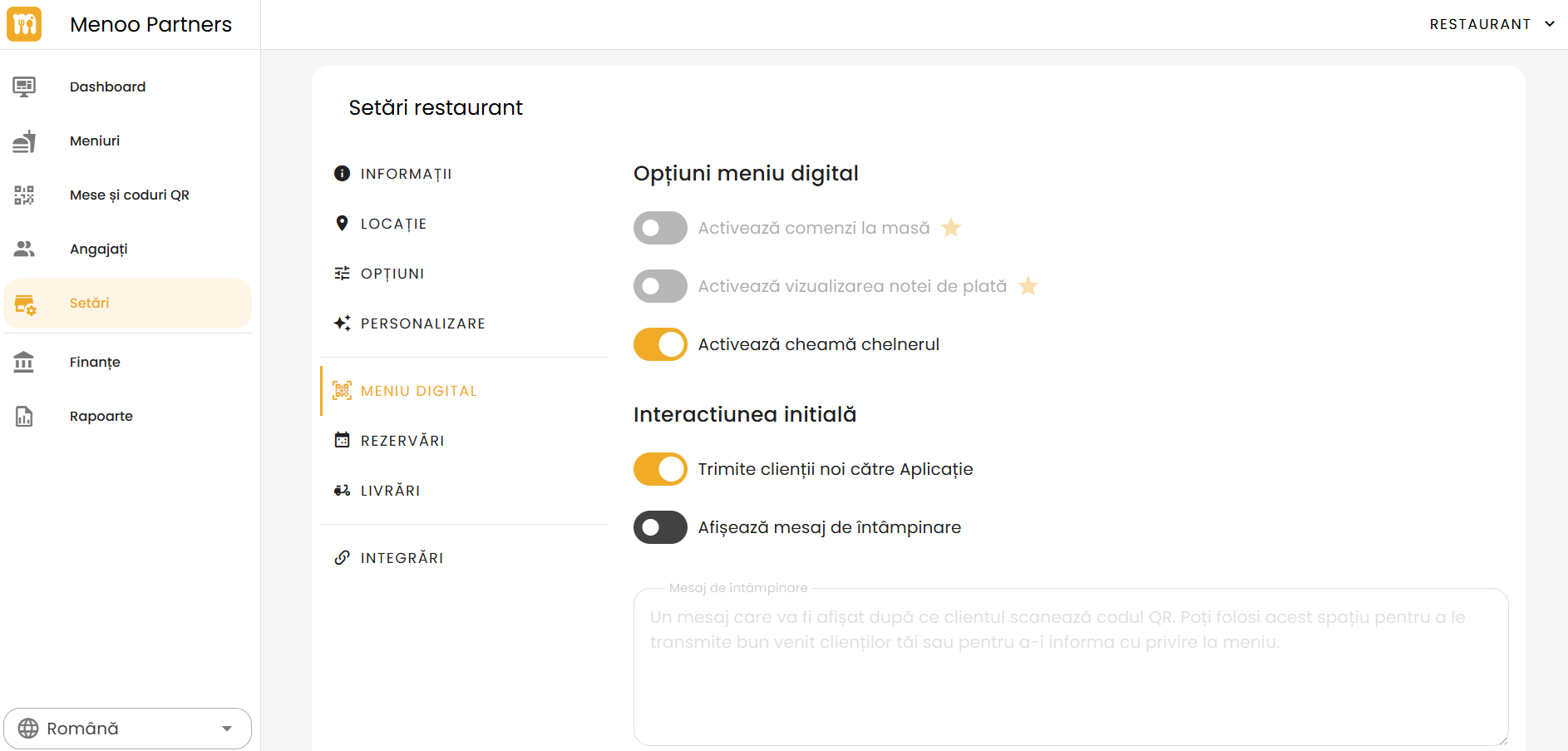
Digital Menu Options:
- Enable table orders (Premium)
- Enable bill viewing (Premium)
- Enable call waiter
Initial Interaction:
- Send new clients to the app
- Show welcome message
- Welcome message: Custom text displayed after scanning the QR code.
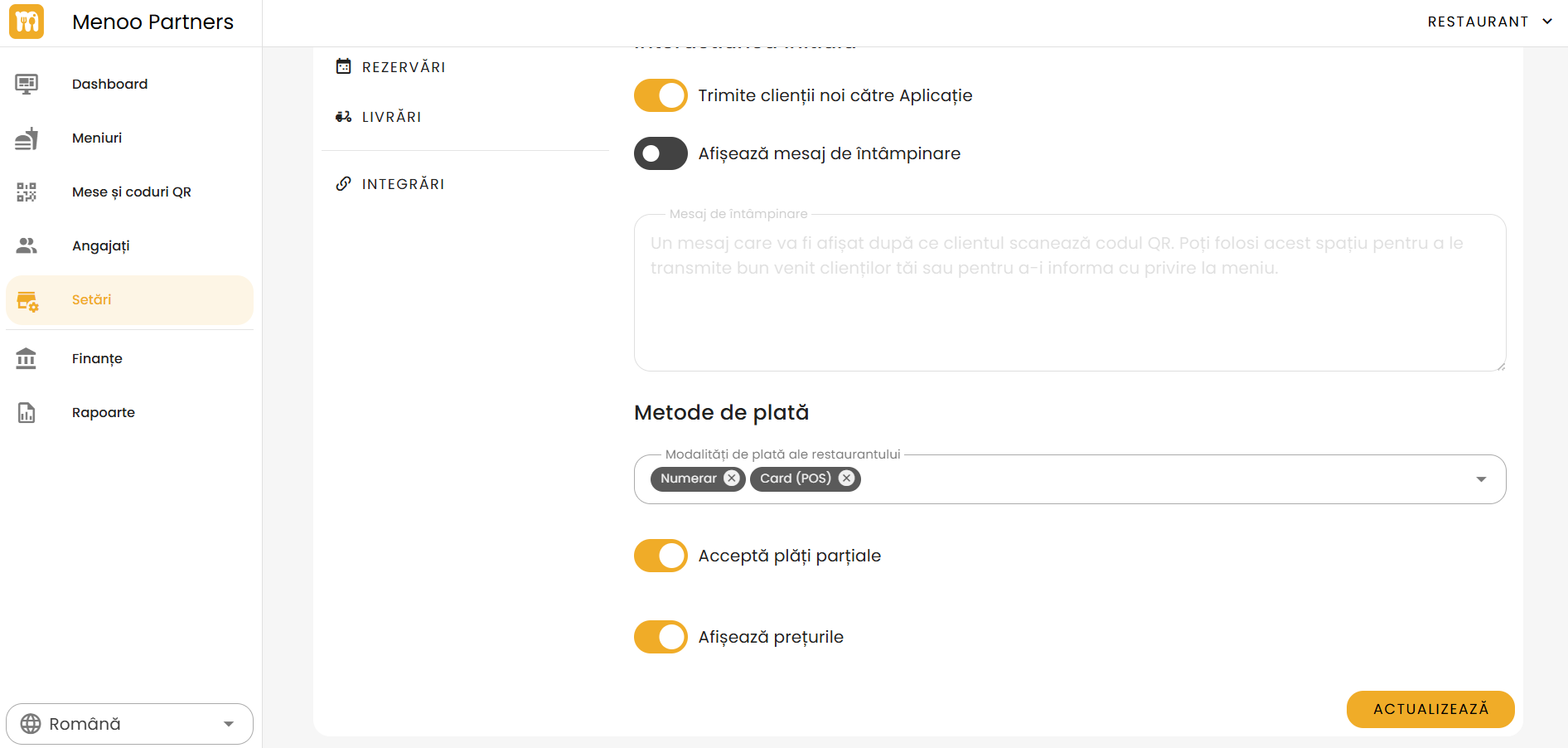
Payment Methods:
- Select: Cash, Card (POS), etc.
- Accept partial payments: Optional toggle.
- Show prices: Toggle price visibility in the menu.
Reservations
Reservation management:
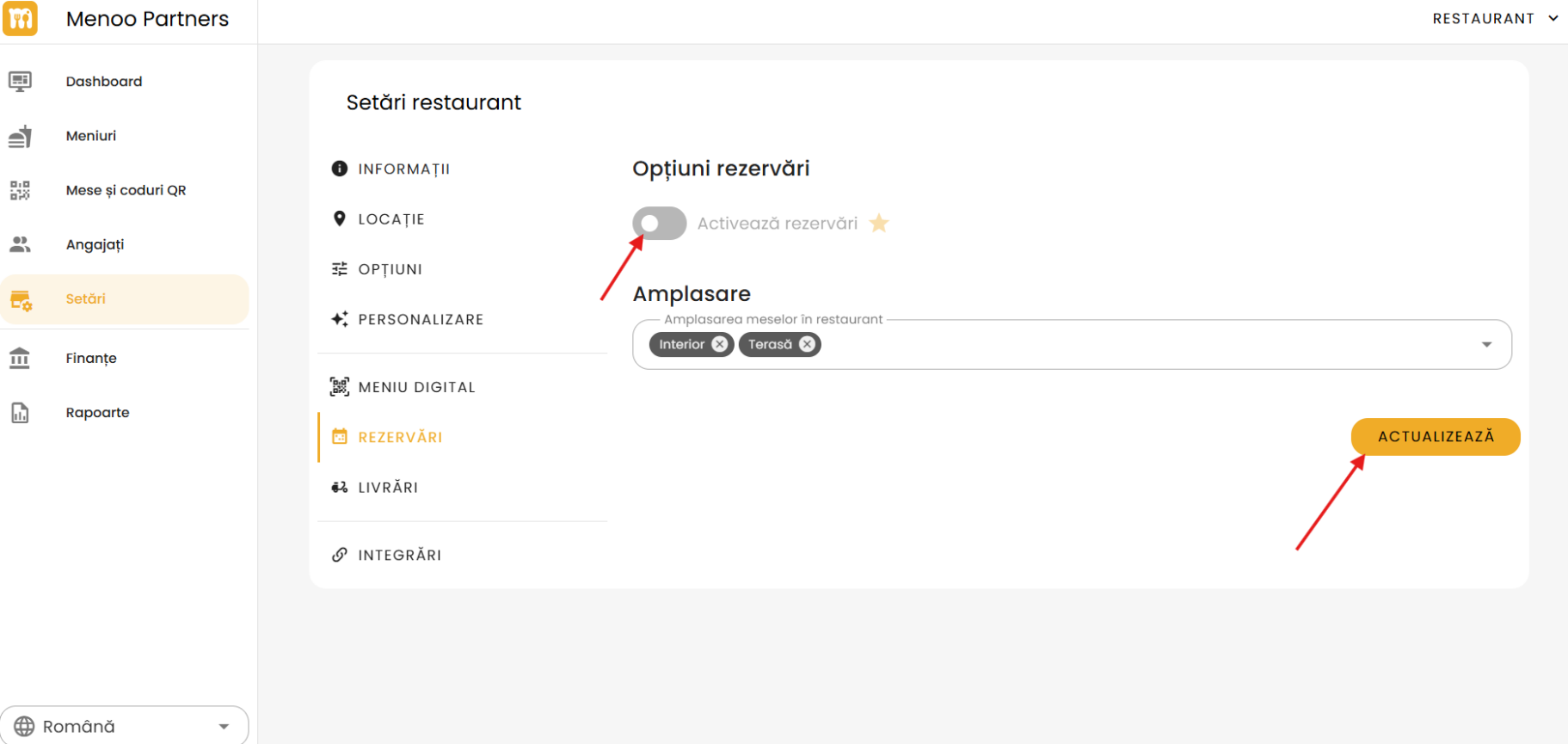
- Enable reservations (Premium)
- Placement: Add reservation zones (e.g., Indoor, Terrace)
Press "UPDATE" to save the settings.