

Finance Overview
Page Address
https://parteneri.menoo.ro/ro/dashboard/accounting
The "Finance" page in your Menoo Partners account centralizes all financial aspects related to your collaboration with Menoo, including subscriptions, earnings, invoices, and commissions.
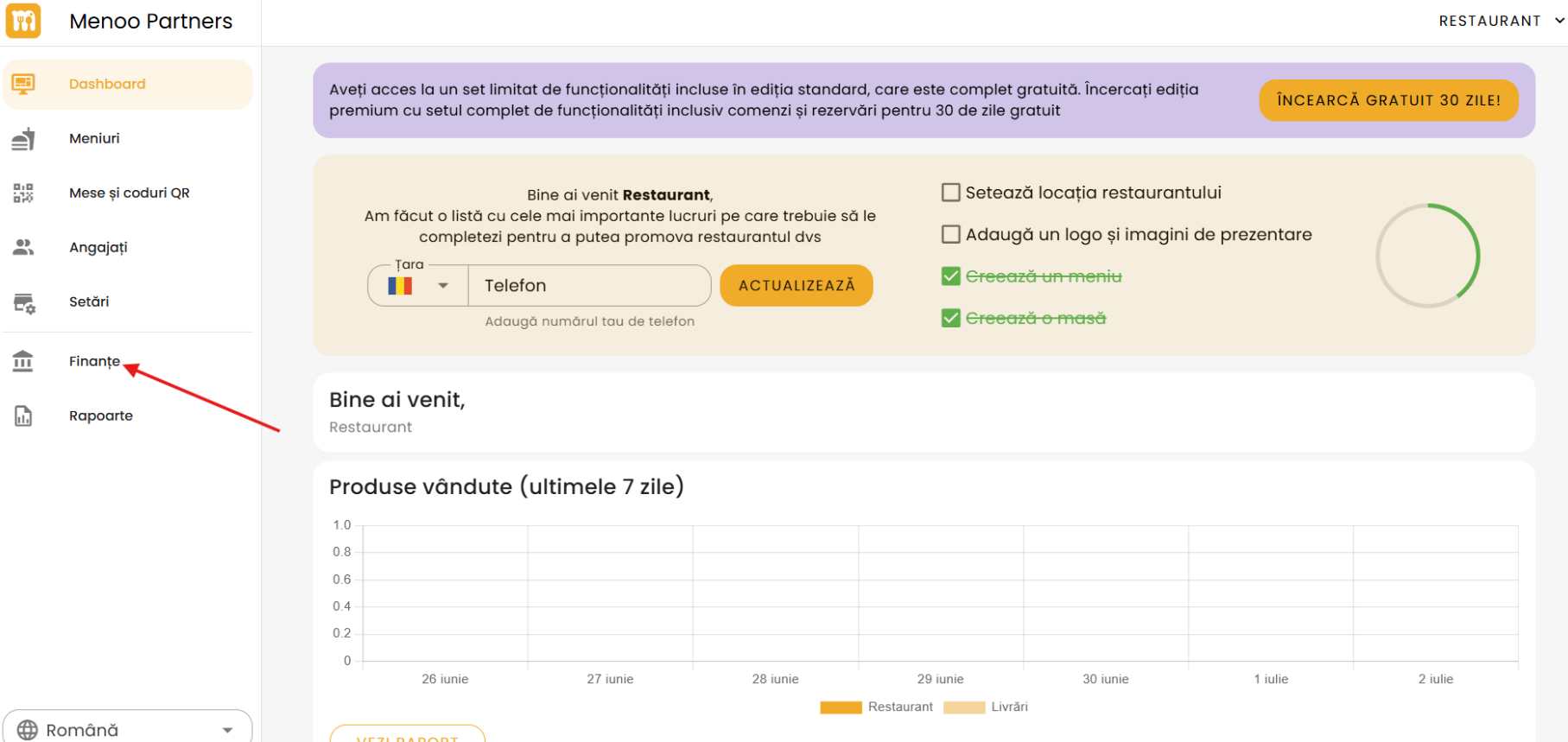
Overview: Fast Payouts (Stripe Express)
The first section of the page guides you through the process of receiving payouts directly to your bank account via Stripe, Menoo's payment partner.
How it works:
- Customer makes a payment: When a customer orders and pays through the Menoo app, the payment is processed securely via Stripe.
- Funds collection: Menoo collects the payment on your behalf, eliminating the need for POS terminals or manual cash handling.
- Payouts to your restaurant: After processing, Menoo consolidates payments and periodically transfers them to your bank account.
To get started, enter your Tax ID (CUI / CIF) and press SAVE AND CONTINUE. This step is essential for setting up Stripe and issuing invoices.
Financial Information Sections
Below the overview, several sections are accessible from a secondary menu:
1. Subscription
This section provides information about your active subscription plan:
- Subscription type: (e.g., Standard)
- Expiration date: (e.g., an exact date)
Choose Premium
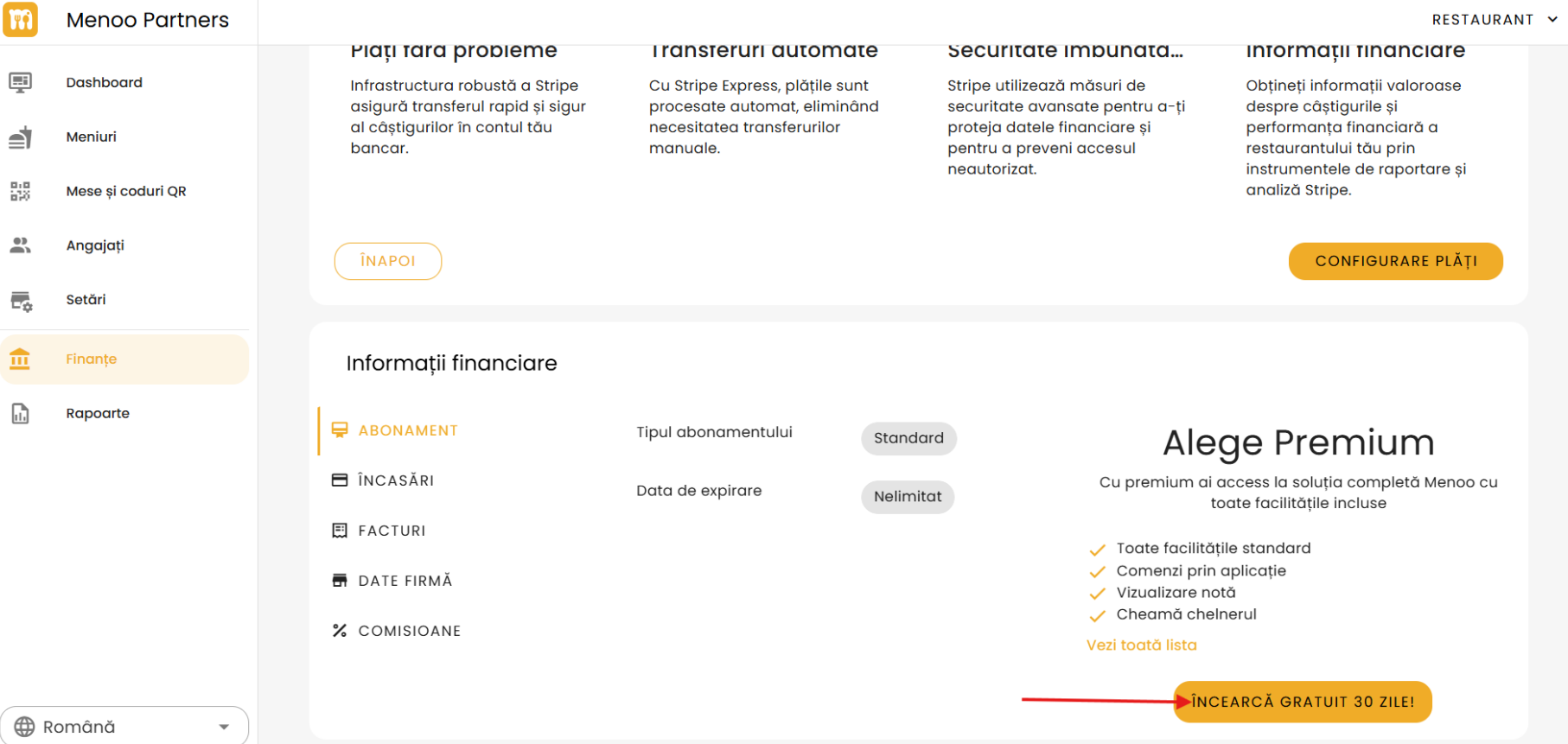
This option promotes upgrading to Premium, which includes:
- All standard features
- In-app ordering
- View bill
- Call the waiter
Press "See full list" for complete details. There is a "TRY FREE FOR 30 DAYS!" button for cost-free testing.
2. Earnings
This section displays the history of payments received.
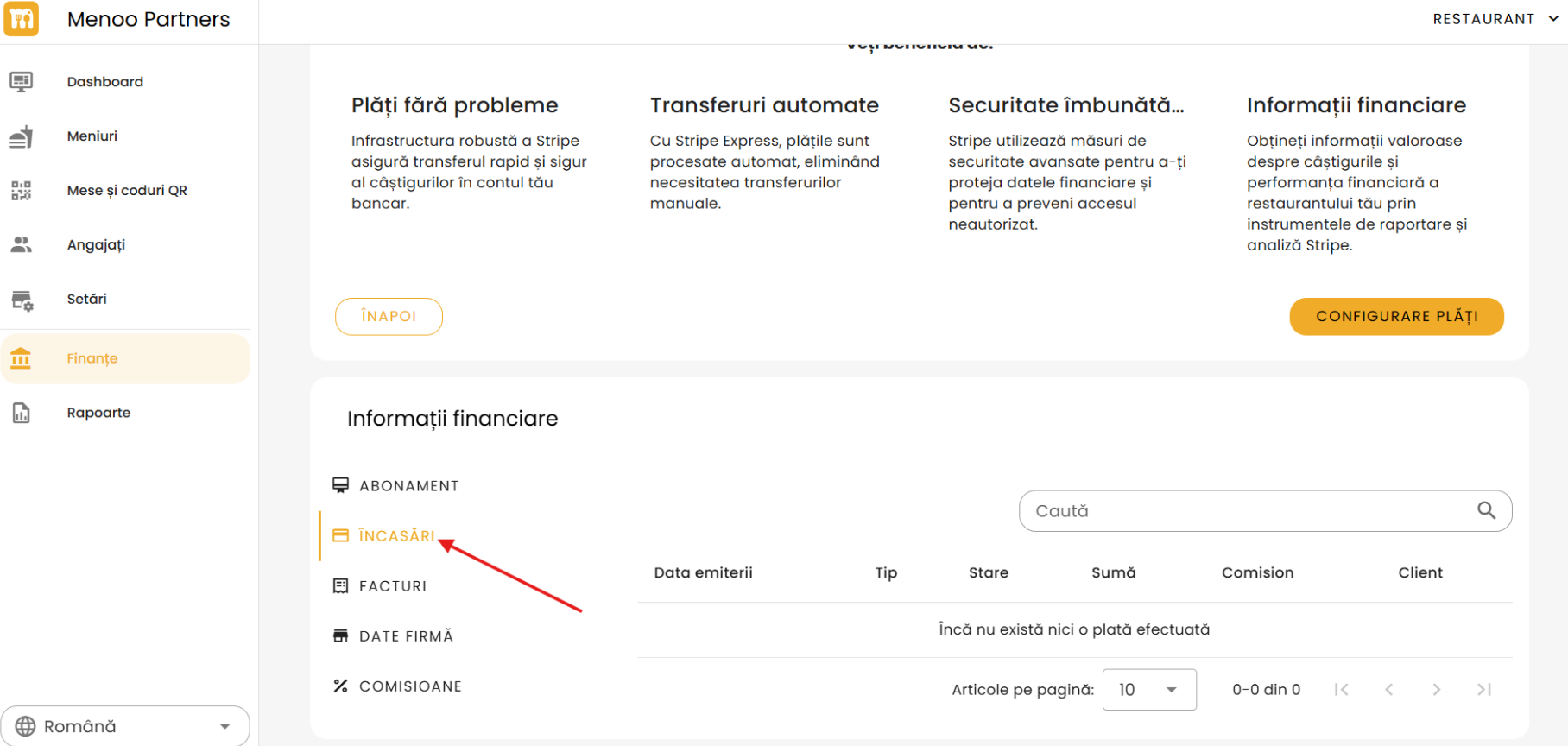
The table includes the following columns:
- Issue date
- Type
- Status
- Amount
- Commission
- Customer
Includes a search function.
If there are no earnings, the following message appears:
No payments have been made yet.
Includes pagination and a setting for "Items per page".
3. Invoices
This section lists invoices issued by Menoo.
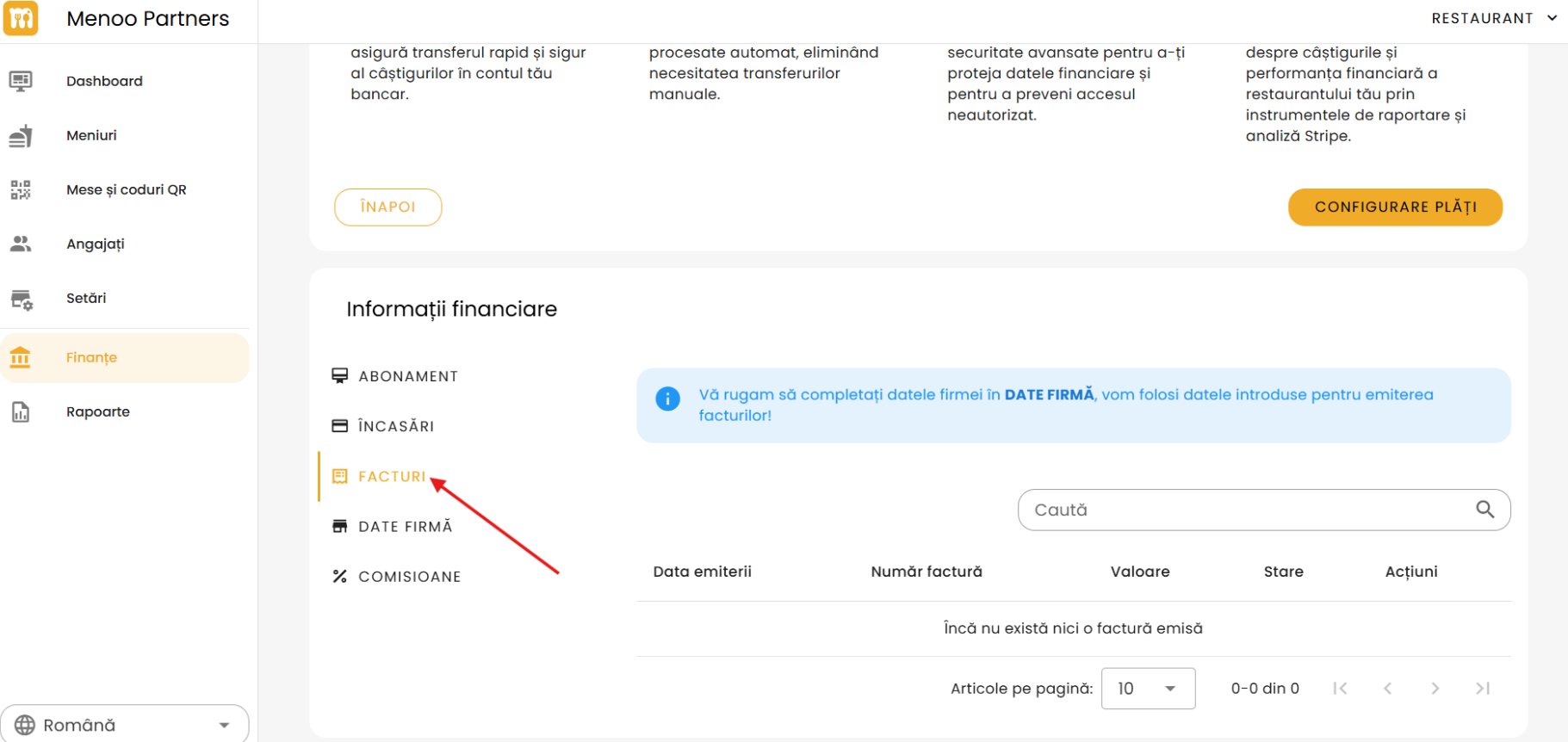
The table includes:
- Issue date
- Invoice number
- Amount
- Status
- Actions
Includes a search function.
Message when no invoices exist:
No invoices have been issued yet.
Page navigation and item count settings are available.
4. Company Data
An essential section for entering your restaurant's fiscal information.
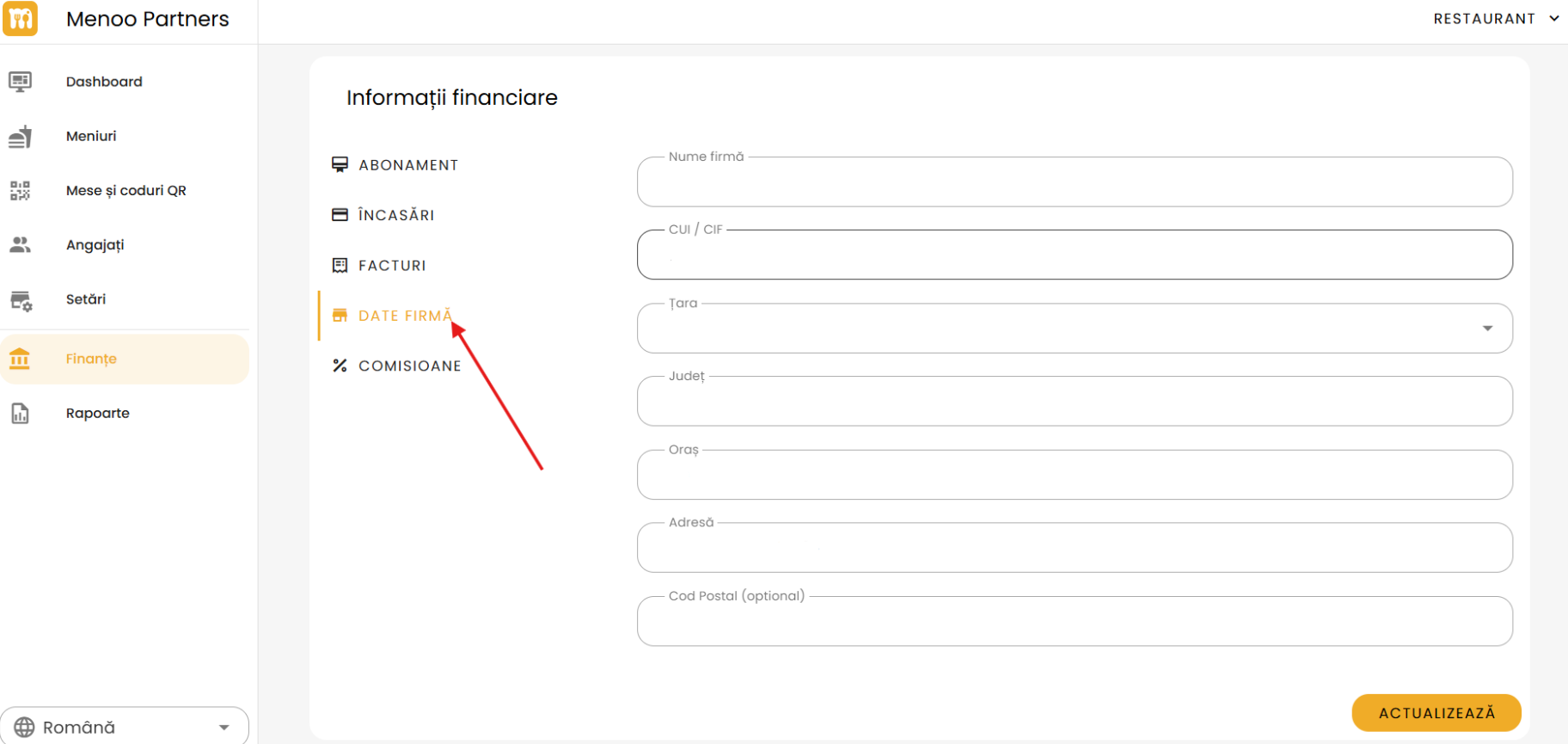
Fields:
- Company name
- Tax ID (CUI / CIF): The fiscal identification code
- Country: (e.g.,
Romania) - County/Region
- City
- Full address
- Postal code (optional)
Press "UPDATE" to save. This data is used for correct invoice generation.
5. Commissions
Details the commission structure applied by Menoo for various services.
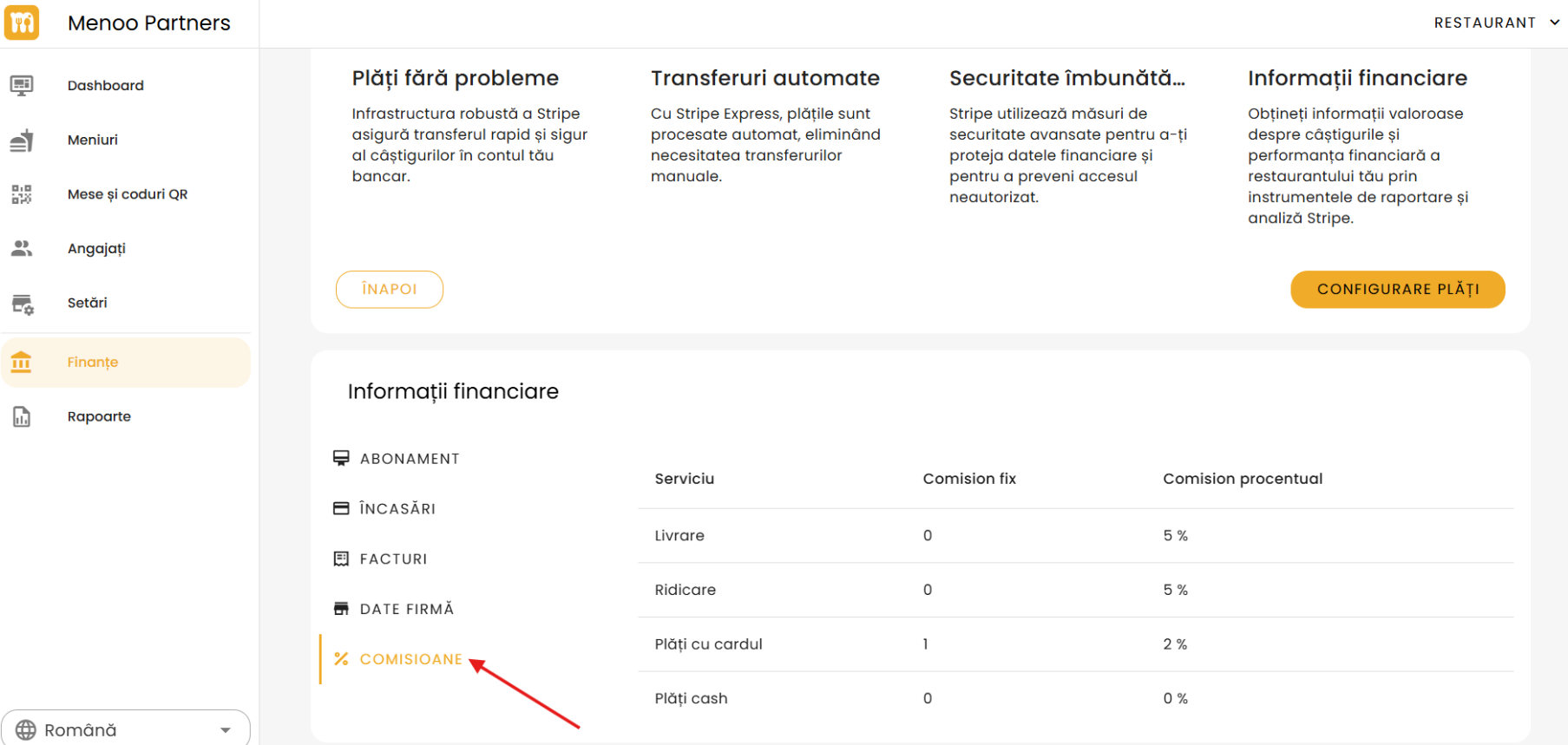
The table includes:
- Service (e.g., Delivery, Pickup, Card payments, Cash payments)
- Fixed commission
- Percentage commission