

Adding Nutritional Values and Allergens for Products in Menoo Partners
This section explains how to add nutritional information and allergens for each product in your digital menu on the Menoo Partners platform. These details are essential for compliance, transparency, and meeting the needs of customers with specific diets or allergies.
Access URL: https://parteneri.menoo.ro/ro/dashboard/menus (after selecting or creating a menu and editing a product)
Accessing the Product Editing Section
To add nutritional values and allergens:
- Log in to your Menoo Partners account.
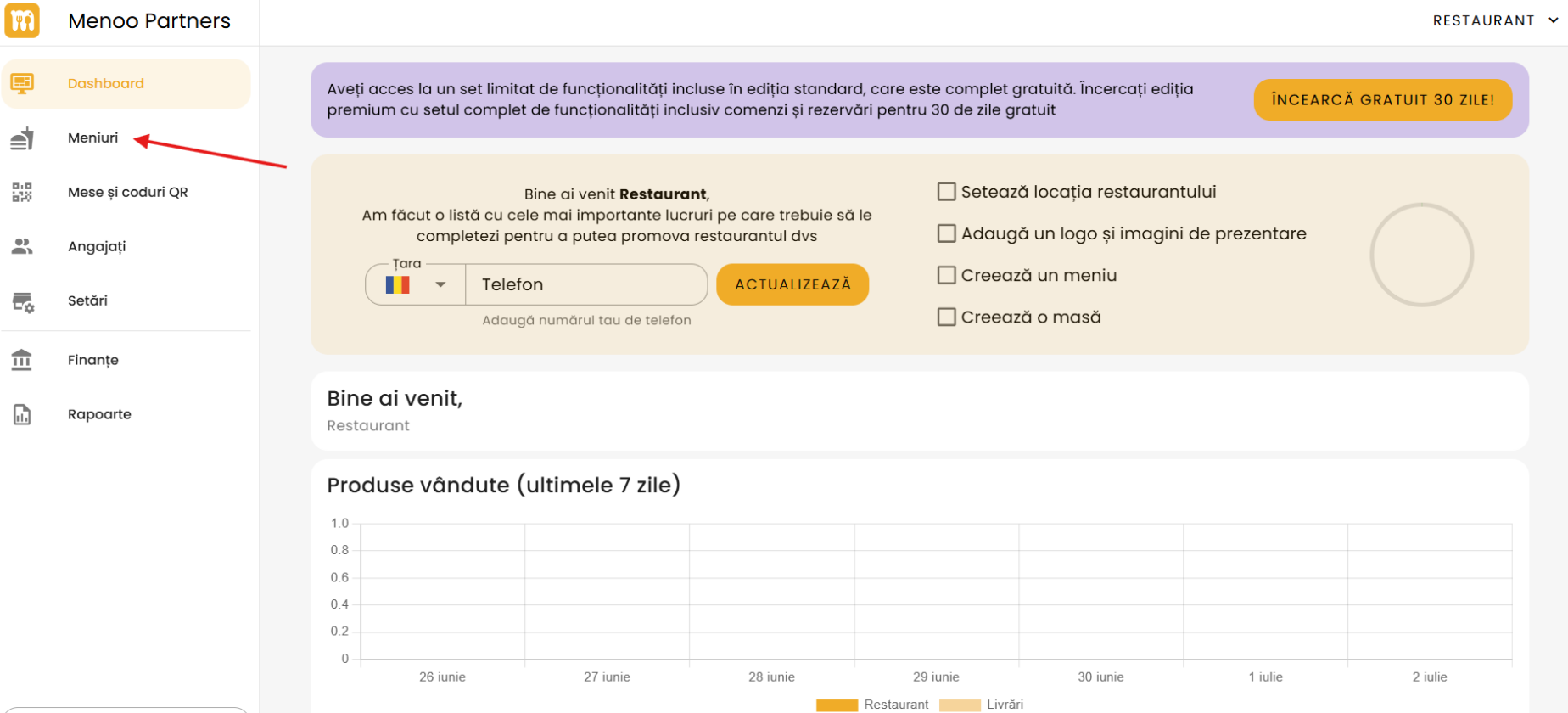
- From the left sidebar menu, select Menus.
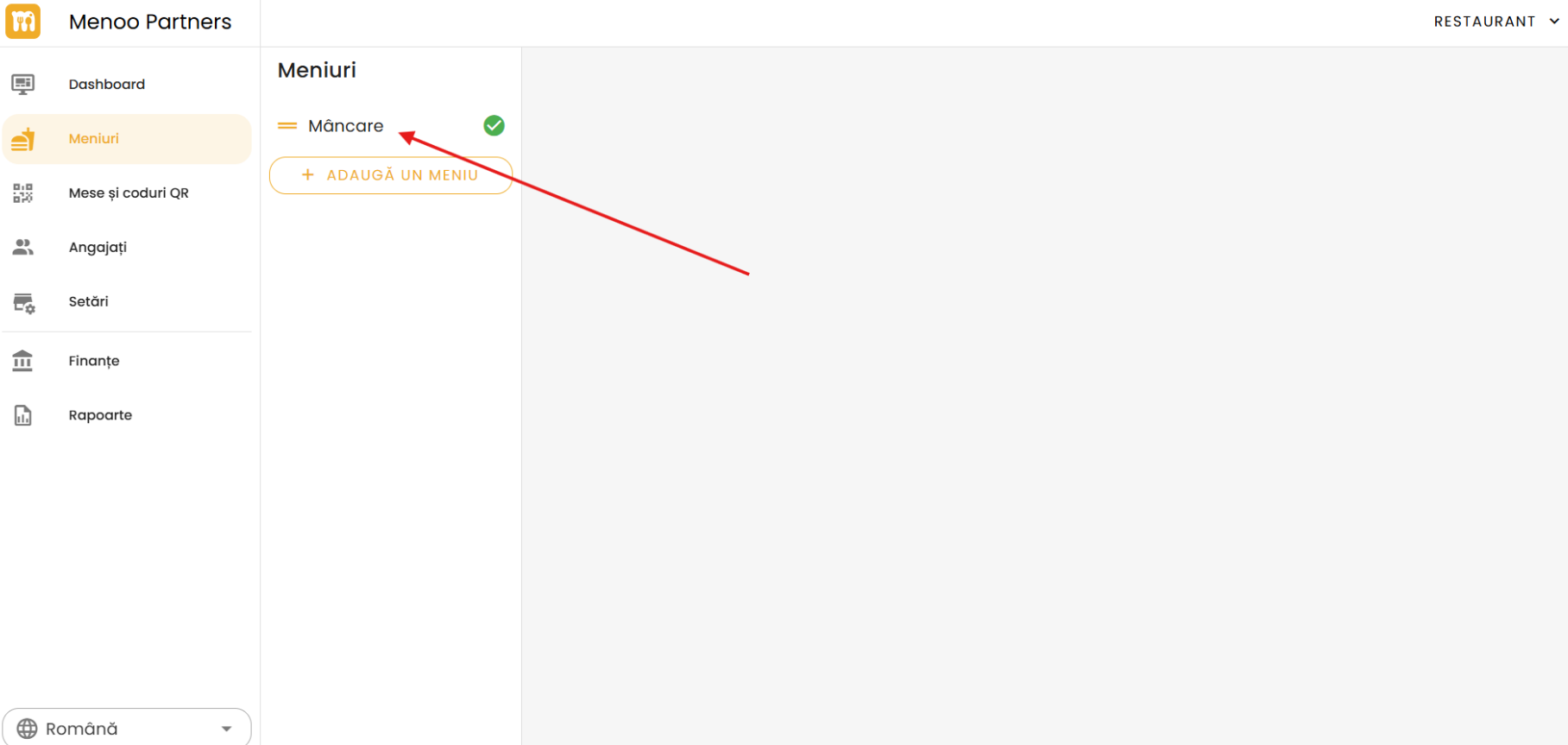
- Choose the menu containing the product (e.g.: "Main Menu").
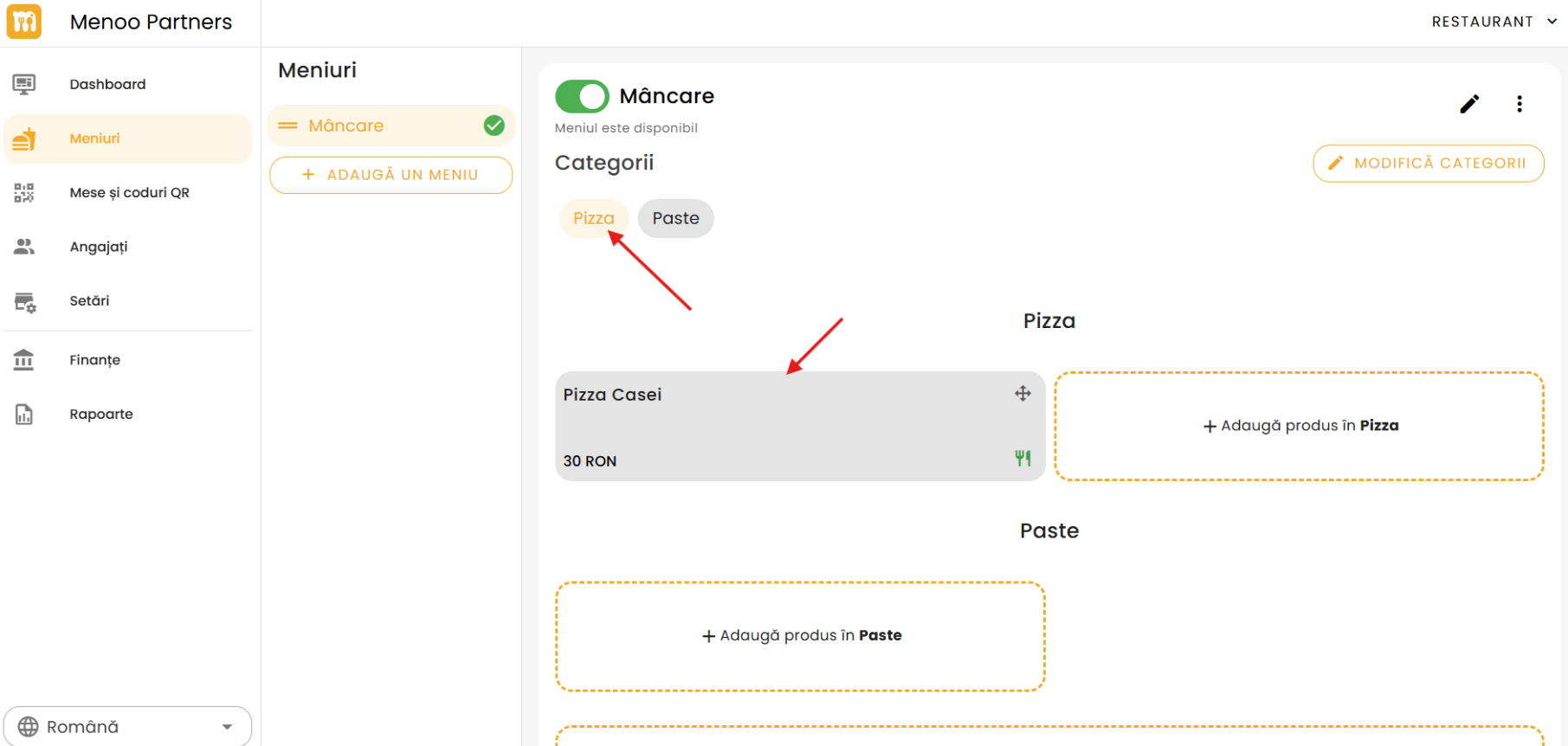
- Find the product's category and click on the desired product to enter the editing page. (This is the same page where you enter "Product Name", "Description", "Price", and "Options and Modifiers").
Nutritional Values Section
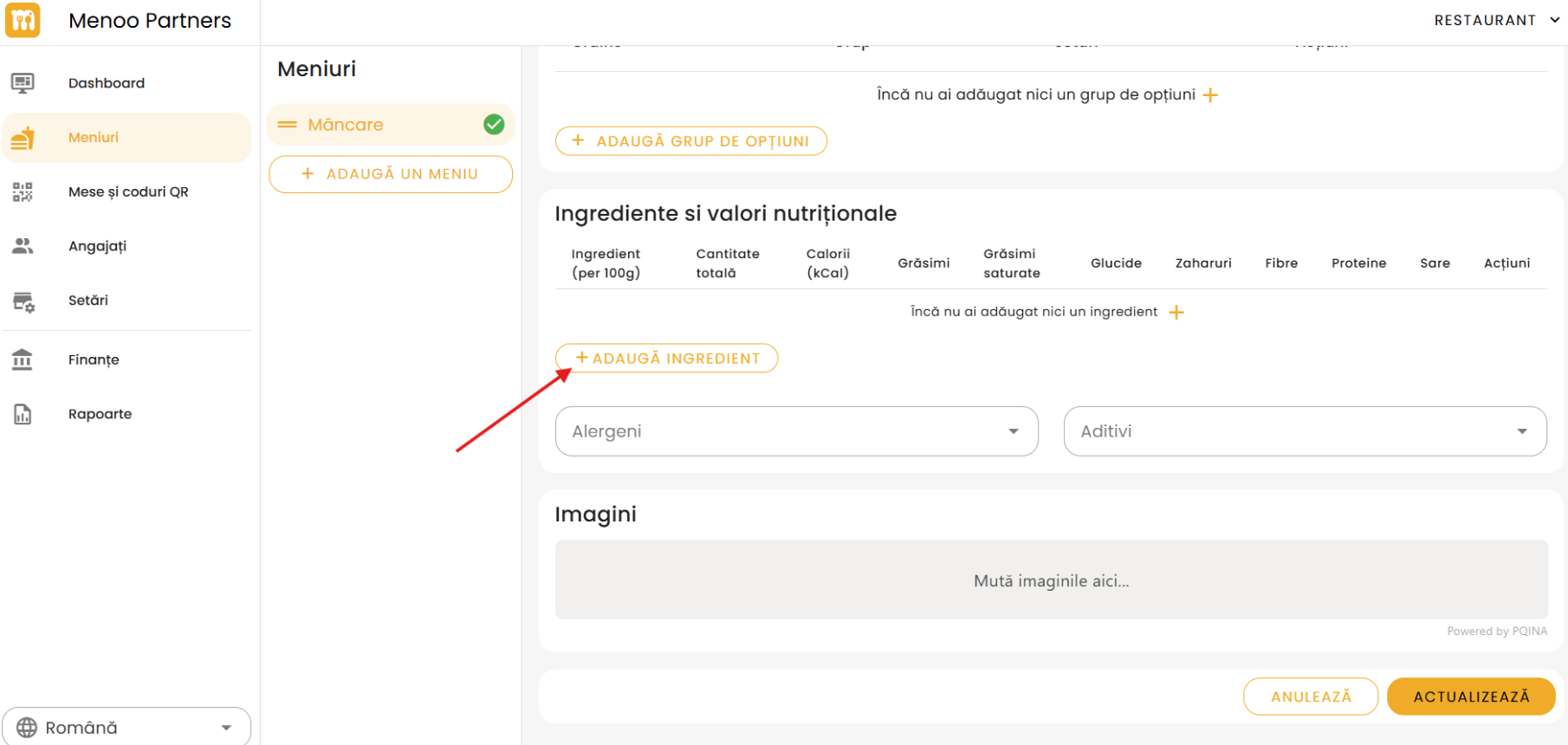
On the product editing page, scroll down until you find this section. Enter the desired ingredient and it will automatically display the corresponding nutritional values for the selected product.
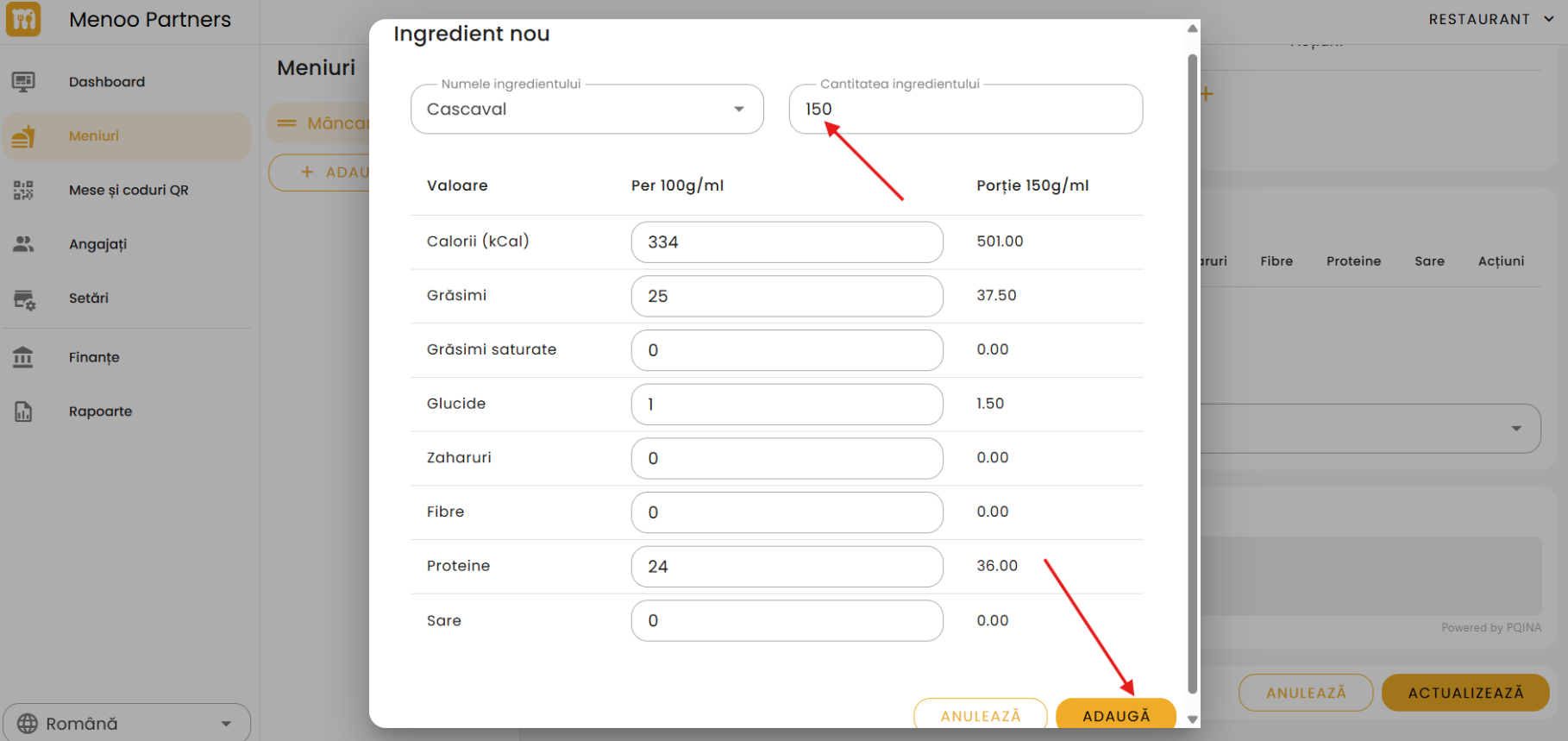
- Standard weight (per serving): Enter the standard weight of one serving of the product. This will be the basis for calculating the values displayed to the customer. (E.g.: if the values are per 100g and a serving is 300g, the customer will see values calculated for 300g).
Nutritional value fields (per 100g):
- Calories (kcal)
- Protein (g)
- Carbohydrates (g)
- Total fat (g)
- Saturated fat (g)
- Salt (g)
- Sugar (g)
Allergens Section
Below "Nutritional Values" you will find the "Allergens" section. Here, check the allergens present in the product.
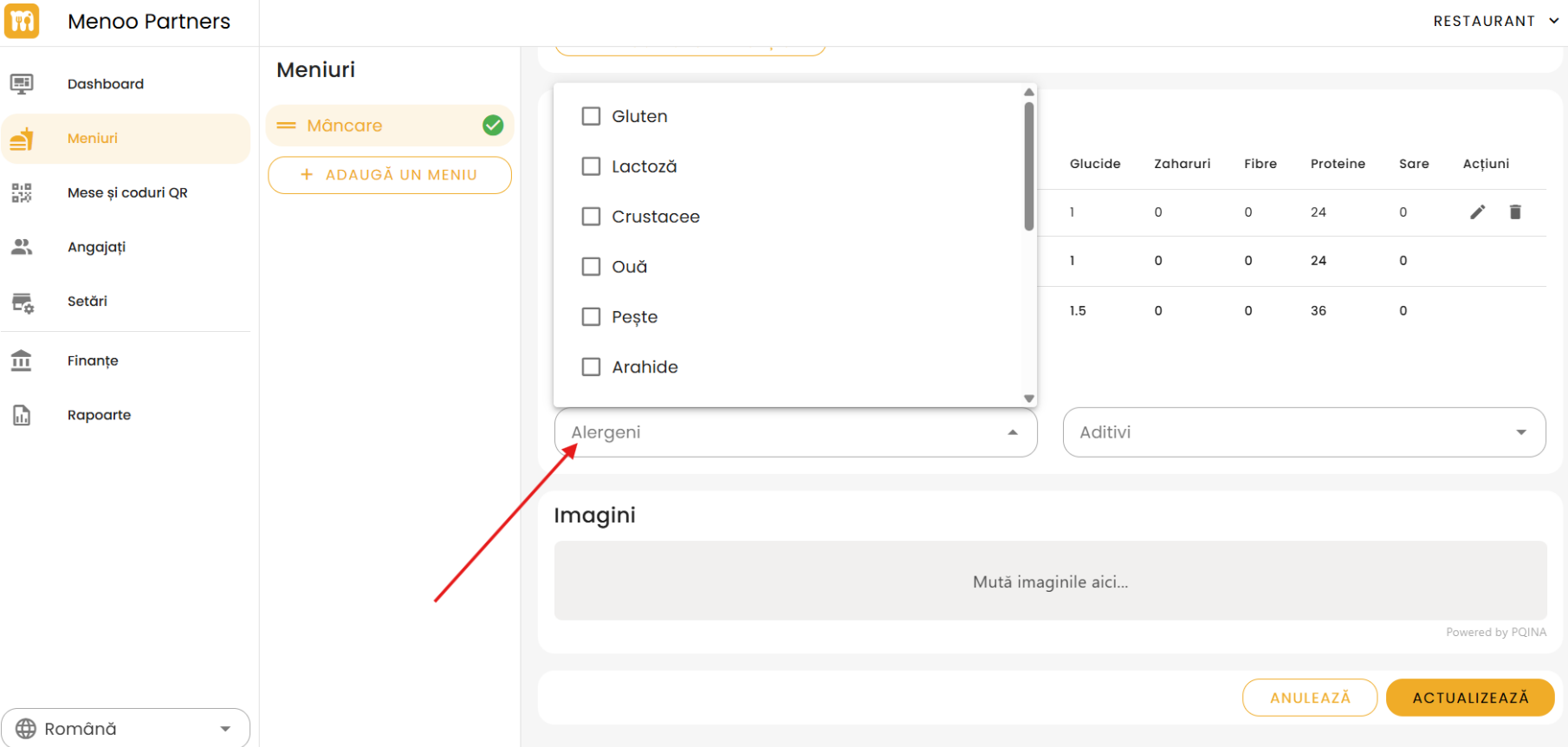
Allergen list (the list may include, but is not limited to):
- Gluten (cereals containing gluten)
- Crustaceans
- Eggs
- Fish
- Peanuts
- Soy
- Milk (lactose)
- Tree nuts (almonds, hazelnuts, pecans, Brazil nuts, pistachios, macadamia nuts, Queensland nuts)
- Celery
- Mustard
- Sesame seeds
- Sulphur dioxide and sulphites
- Lupin
- Molluscs
Recommendation: Even traces can be dangerous for allergic individuals. Fill in and update the information carefully. If there is a risk of cross-contamination, mention this in the product description or restaurant notes.
Saving Changes
After completing the information:
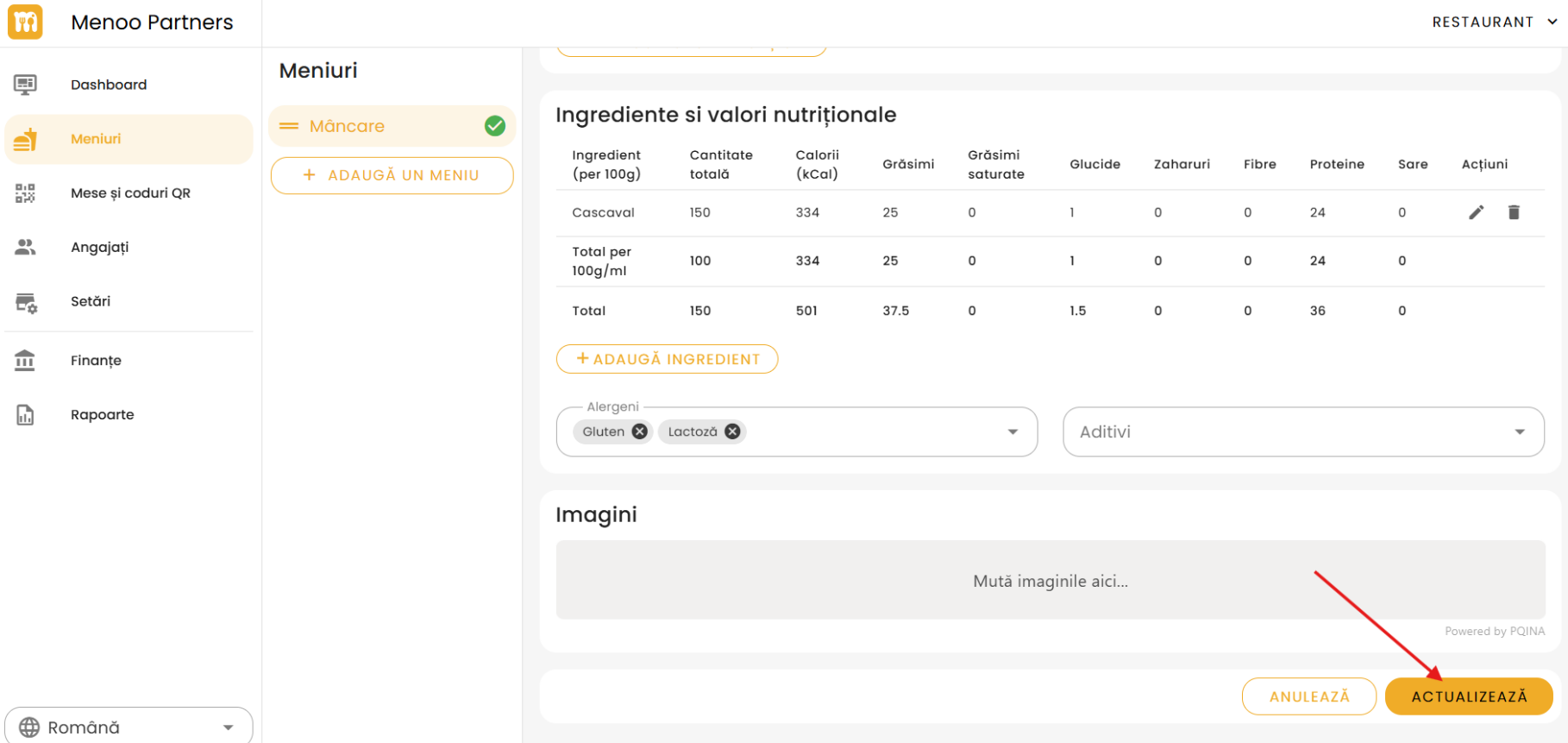
- Scroll down to the bottom of the page.
- Press the orange UPDATE button (or ADD, if it is a new product).
Changes will be visible to customers in the Menoo digital menu, under the product details.
Importance of Nutritional Information and Allergens
- Transparency: Provides customers with essential data for informed choices.
- Safety: Protects customers with allergies and intolerances, reducing the risk of adverse reactions.
- Compliance: Helps the restaurant comply with legal regulations regarding labeling and consumer information.
- Trust: Increases customer confidence in the brand, demonstrating responsibility and care.
By integrating these details into your Menoo digital menu, you will improve the customer experience and operational compliance.